Step 1: Create Account
Follow these simple steps to get your administrator account ready.
Sub-Step 1
Go to Phecom.com
Open your preferred web browser and navigate to the official Phecom website to begin the registration process.
Visit Phecom.com Sub-Step 2
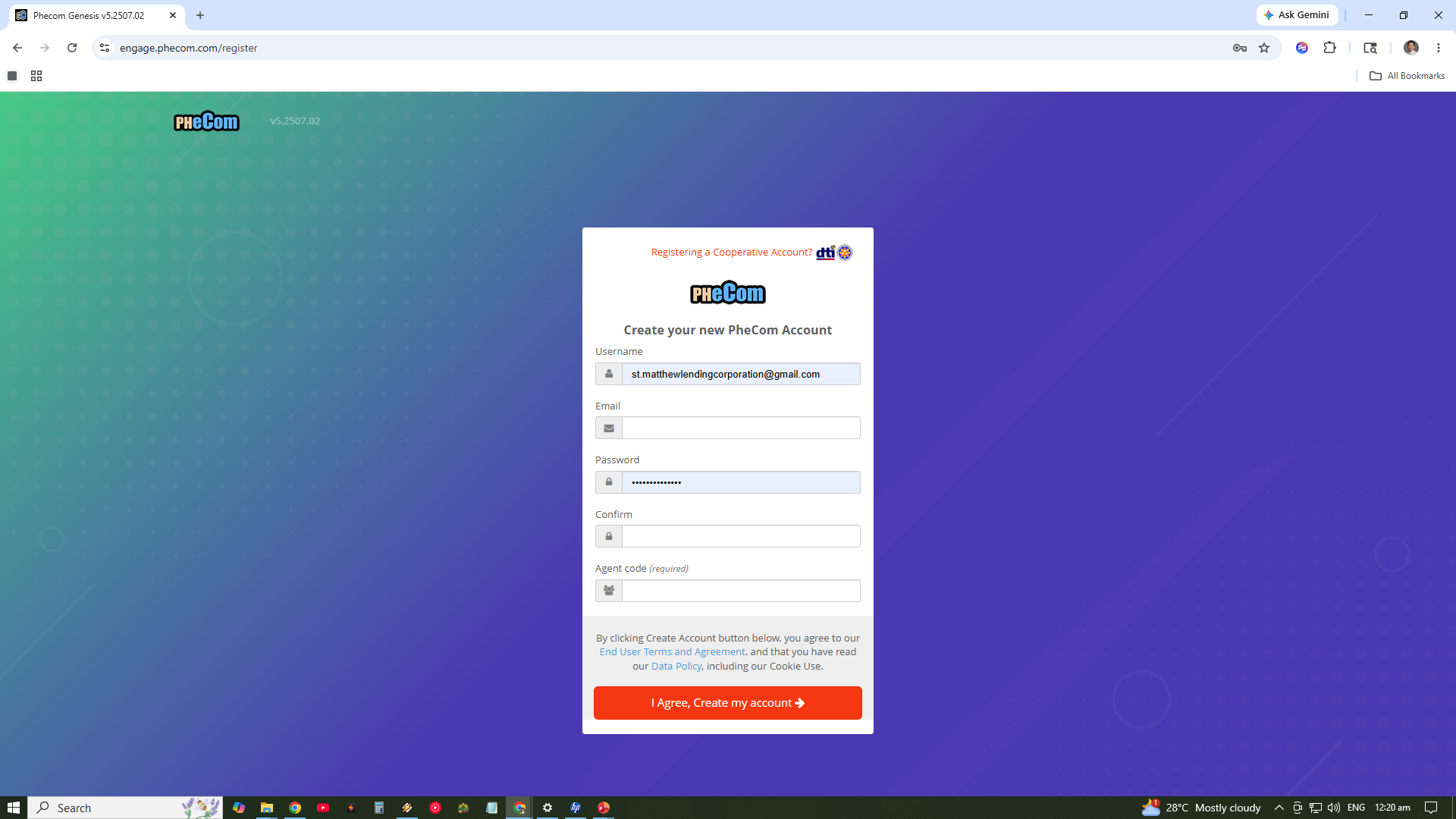
Create Account
Click on the "Sign Up" or "Create Account" button. You will be prompted to enter your basic information to set up your primary administrator account.
Click for Full View
Sub-Step 3
Input Account Details
Carefully enter your preferred Username, a valid Email address, and a secure Password for your account.
Sub-Step 4
Enter Agent Code
In the Agent Code field, ensure you input EYAP in all upper caps. This is essential for proper account routing and support.